The Technical Customer Support Skills That Will Define 2026

The gap between support teams and engineering teams has never been wider - or more expensive. Every vague bug report, every "it's broken" ticket, every back-and-forth clarification thread burns hours that compound into weeks of lost productivity.
Technical customer support in 2026 will look nothing like the scripted troubleshooting of five years ago.
Over the past few months, we've spoken to support leaders at top orgs such as Appcues, Productboard, Givebutter, and more. In this guide we cover the core technical skills, AI competencies, and documentation practices that will define customer support in 2026.
Let's get into it!
Why technical proficiency now separates good support from great
Technical customer support skills for 2026 will center on AI proficiency, debugging fundamentals, and the ability to relay information effectively between customers and engineering teams. The most in-demand competencies include console log analysis, API diagnostics, prompt engineering for AI tools, and structured bug documentation. These skills transform support agents into technical problem-solvers who can resolve issues without relying too much on engineering teams.
So what exactly separates "technical customer support" from traditional customer service? General support handles billing questions and account management. Increasingly, a lot of which is being handled by AI tools like Fin, by Intercom.
Read our notes on first-contact resolution:
 Yash Bagal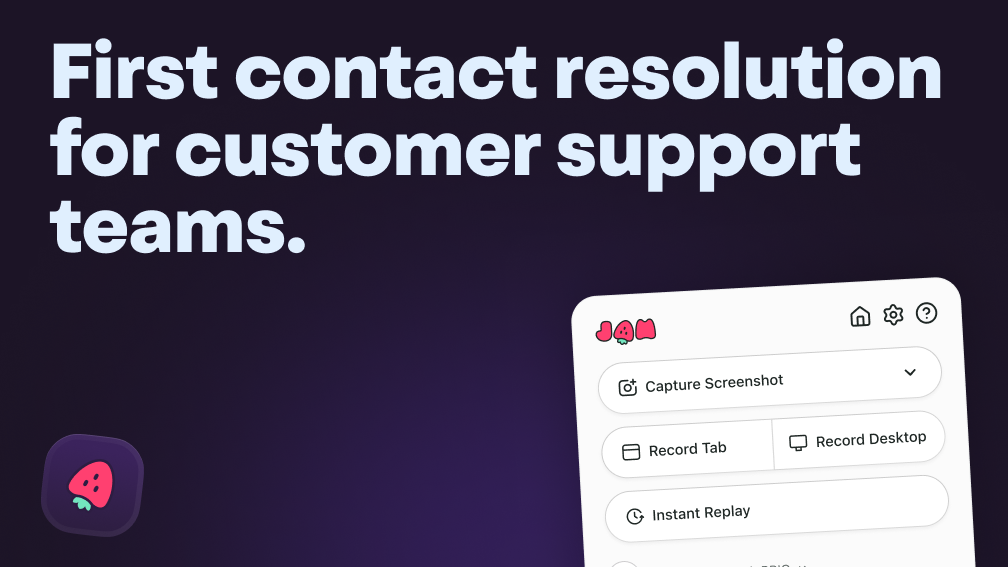
Technical support diagnoses software behavior, investigates logs, and documents reproducible bugs. The skills required are fundamentally different.
The agents who deliver measurably better outcomes share a few key traits:
- Faster resolution times: They diagnose issues without waiting for engineering escalation
- Clearer engineering handoffs: Their bug reports contain everything developers can actually act on
- Higher customer confidence: Customers trust agents who genuinely understand the product
Core technical skills every support professional needs in 2026
The foundational competencies below will form the baseline for technical support roles in software companies in 2026. You don't need a computer science degree to develop them. Just consistent practice and the right tools.
Systematic debugging
Systematic debugging means isolating root causes methodically. Before escalating any issue, skilled agents rule out variables: user error, browser configuration, network conditions, account permissions.
You start with the most common causes and work your way toward the edge cases. When the support team eliminates the obvious possibilities, engineers can focus on the actual bug instead of retracing your steps.
Console log analysis
Console logs are the messages your browser or application generates while running. You can view them in browser developer tools - press F12 or right-click and select "Inspect," then click the Console tab.
Learning to identify error messages, stack traces, and warnings helps you categorize issues quickly. Here are the common patterns to watch for:
- 404 errors: The requested resource doesn't exist
- 500 errors: Something went wrong on the server
- CORS errors: Security restrictions blocking cross-origin requests
- Null reference errors: Code tried to use something that doesn't exist
Once you recognize these patterns, you can often diagnose an issue in seconds rather than minutes.
Browser developer tools for issue investigation
Browser DevTools are built into Chrome, Firefox, Safari, and Edge. They're your window into what's actually happening when a customer reports "it's broken."
The Network tab reveals failed requests, slow responses, and API errors. The Console tab shows JavaScript errors and warnings. The Elements tab lets you inspect the page structure. Together, they provide the technical context that transforms vague complaints into actionable reports.
Tools like Jam for Customer Support capture this context automatically - console logs, network requests, and environment details - in a single click, removing the manual screenshot workflow entirely.
API basics and network request diagnostics
An API (Application Programming Interface) is how different software systems talk to each other. When you click a button and something happens on a website, there's usually an API call behind it.
HTTP methods describe what kind of action is happening: GET retrieves data, POST sends data. Status codes tell you whether the action succeeded: 200 means success, 400s mean client errors, 500s mean server errors.
Many bugs customers report trace back to failed API calls. You can spot them in the Network tab - a red entry usually means something went wrong.
Cloud infrastructure and environment awareness
Modern software runs on cloud platforms like AWS, Google Cloud, or Azure. Knowing the difference between staging and production environments, or understanding that some issues only appear in specific regions, helps you ask the right questions.
Environment context often determines whether an issue is reproducible. A bug that appears only on the European server or only in the mobile app version requires different investigation than a universal problem.
Data analysis for support metrics and patterns
Analyzing ticket trends reveals recurring issues before they become crises. When you notice the same bug appearing across multiple customers, that pattern informs product improvements and documentation updates.
Tracking which features generate the most tickets, which error messages appear most frequently, and which customer segments struggle most creates actionable intelligence for the entire organization. This is especially important for support agents who are looking to step up to leadership or managerial roles.
How AI is changing technical support competencies
Despite all the noise and negativity online, every support leader we've spoke to has echoed this insight: AI tools are augmenting support roles, not replacing them. The skills that matter now involve working alongside AI effectively - knowing when to trust its suggestions and when to override them.
AI-powered debugging and diagnostic assistants
AI debugging assistants analyze logs, suggest probable causes, and auto-triage incoming tickets. They surface insights faster than manual investigation ever could.
Jam includes AI-powered debugging insights that suggest root causes automatically, turning raw technical data into actionable hypotheses.
Prompt engineering for support ops automation
Prompt engineering means crafting effective instructions for AI systems. Support agents who write better prompts get more useful outputs.
The difference between "summarize this ticket" and "extract the customer's core issue, the steps they've already tried, and any error messages mentioned" is the difference between generic and genuinely helpful AI assistance. Specificity matters.
Recognizing when human expertise outperforms AI
AI falls short in scenarios requiring nuanced judgment, edge cases, and emotional intelligence. Customers experiencing "bot fatigue" sometimes want human escalation regardless of whether AI could technically resolve their issue.
Skilled agents develop intuition for when to trust AI suggestions and when to step in. Complex billing disputes, security concerns, and frustrated customers often require the empathy and judgment that AI cannot replicate.
Bug reporting and technical documentation mastery
Clear bug reports are the bridge between support teams and engineering. This skill alone - documenting issues so engineers can act immediately - reduces resolution time more than almost any other competency.
Writing reproduction steps engineers can act on
Reproduction steps (repro steps) are the exact sequence someone follows to recreate a bug. Vague reports like "the checkout is broken" waste engineering time. Specific reports get fixed.
The ideal format looks like this:
| Component | What to Include |
|---|---|
| Steps to reproduce | Numbered sequence of actions |
| Expected result | What the user expected to happen |
| Actual result | What happened instead |
| Environment | Browser, OS, account type, URL |
Building a support team that engineers trust
Trust between support and engineering teams accelerates issue resolution. That trust builds through consistent, high-quality bug reports that demonstrate you understand what engineers want.
When we spoke to Susana de Sousa, who leads Community at Plain, an AI-native customer support platform used by teams at Cursor, Raycast, Granola, and n8n, she framed it perfectly:
In Susana's experience, the most effective customer support teams almost always have strong interdependent relationships with the engineering team.
"One thing that I like to ask is how can I make my engineering team's life easier?"
Communication between support and engineering is critical, especially because both teams are often working towards different objectives.
“We're working in different realities, right? We have different metrics, we have different goals, we have different systems.”
Investing in technical skills pays dividends beyond faster resolutions. It creates stronger cross-functional relationships, elevates the support team's credibility, and positions support professionals for career advancement into technical or leadership roles.
FAQs about technical customer support skills
What is the difference between technical support and general customer service?
Technical support focuses on diagnosing and resolving software or hardware issues, often requiring knowledge of logs, debugging tools, and development workflows. General customer service addresses broader inquiries like billing, account management, and product questions that don't require technical investigation.
Do technical support professionals need to know how to write code?
Coding skills aren't required for most technical support roles. However, understanding how software works, reading error messages, and navigating developer tools significantly improves effectiveness and opens career advancement opportunities.
How long does it take to become proficient in technical support skills?
Foundational proficiency in browser DevTools and structured bug reporting can develop within a few months of consistent practice. Mastery of advanced debugging and cross-functional collaboration typically develops over years of hands-on experience.
Can someone without a technical background transition into technical support?
Yes - many successful technical support professionals come from non-technical backgrounds. They develop skills through on-the-job learning, mentorship, and tools that automate technical context capture, making the learning curve much more accessible than it once was.