New! 6 upgrades to Jam’s Intercom integration
Expanded browser support, privacy & more

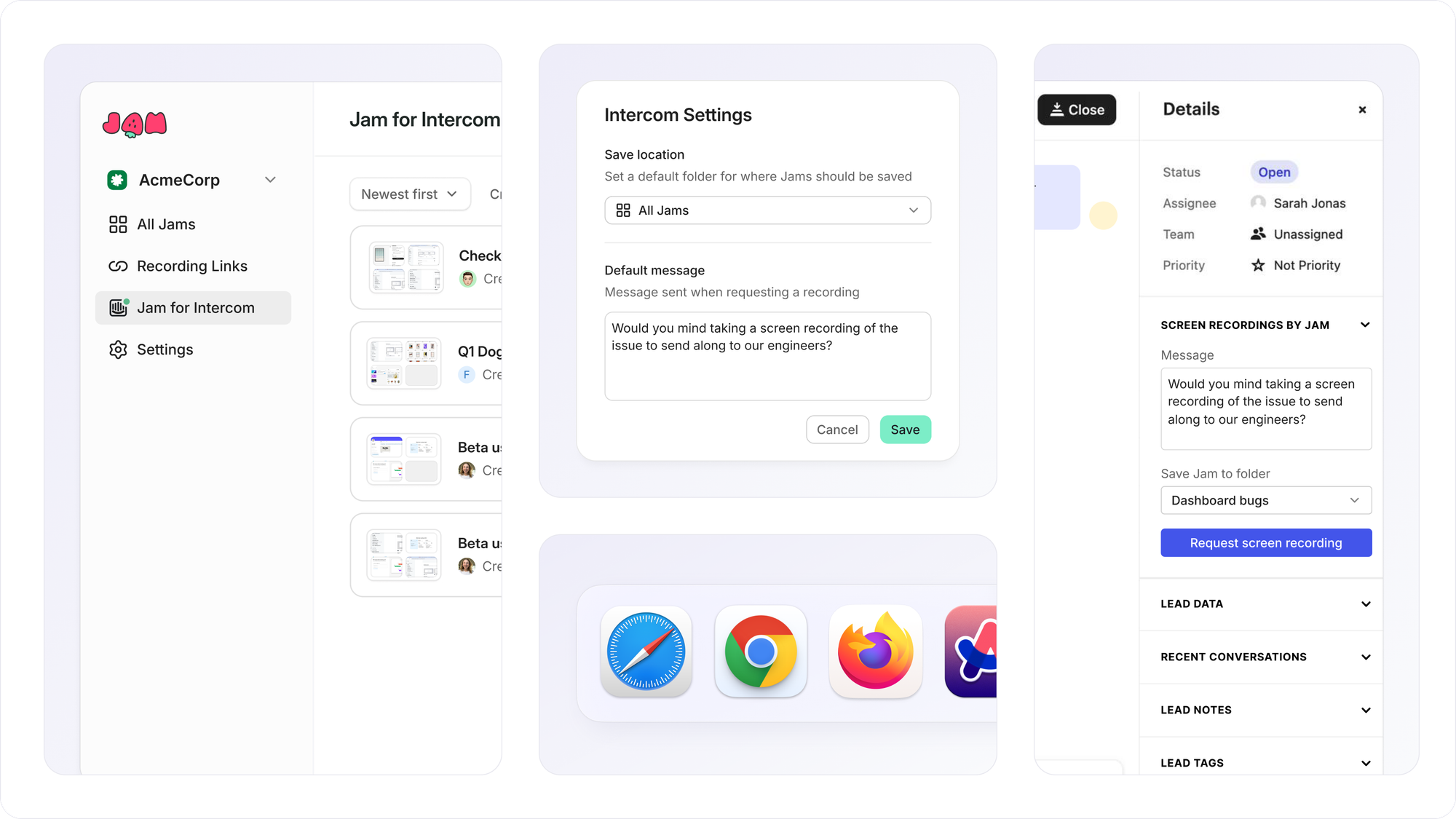
Today, we’re launching a brand new Intercom integration.
It’s more flexible for your customers, even easier to use for support teams, and comes with increased privacy options. You can watch the demo here.
Here’s everything new:
1. Record from any browser type
Customers don’t all use the same browser. Starting today, Jam works across all of them. Send a Jam request and your customers can record from Chromium, Safari, and Firefox browsers.
2. Send to Slack
If you’re using Intercom’s Slack integration, your team can request a Jam from Intercom, and your customer will get the recording link right there in Slack.
3. Personalize your messaging
Now you can customize the message that goes with every request for Jam. So anytime you need one, your team asks within the right context of the conversation.
4. Blur sensitive info by default
Customers who record their screen may share more than they intend. Now you can automatically blur sensitive data so that you don’t have to worry about what you are collecting. To get started with auto-blur, read our docs.
5. Route Jams to the right folder automatically
The more Jams you record, the harder it becomes to find them later. Starting today, you can assign a folder so that any Jam your customers record is routed to an easy to find place. Bonus: we added filters to your dashboard to make searching for Jams easier, too.
6. Send recording links from your own domain
Now you can customize recording links with your own domain, making it easy for your customers to recognize your brand every time they record a Jam.
Haven’t set up Jam for Intercom yet? Follow the step by step instructions right from your Jam dashboard.
Happy Jamming!